The appointment, the service and the care guidance,
on your clinic screens
An eye clinic waiting room handles very different reasons for attendance — a routine check, a post-LASIK follow-up, a visual urgency, a paediatric visit. Wait times vary by test: OCT, fundus examination, visual field assessment, dilation. Printed signs with reminders (no driving after dilation, fasting before surgery) go stale with every protocol update. On screen, your patients see the number being called and its room, services and pre/post-care guidance — updated from your phone with no printing.
First screen free forever · No card · Offline 48 h
Next: 11:45 OCT · 12:00 fundus exam · 12:15 LASIK follow-up
What you show on screen
from day one
Templates ready for the single-doctor practice and the multi-room ophthalmology centre. For guidance only — clinical decisions remain with your specialist.
Schedule by room, always current
Current appointment with time, doctor and room number. Next patients listed by room. Assigned test or procedure (OCT, fundus exam, visual field, biometry, dilation). Estimated average wait per room. You update it from your phone in seconds — no printing, no whiteboard.
Standard services and clinical areas
Routine eye examination, fundus photography, OCT, retina assessment, glaucoma monitoring, cataract consultation, refractive surgery information, low-vision services, paediatric ophthalmology. Presented as clinical information only — no outcome promises, no visual acuity guarantees. For guidance only; patients should consult their eye specialist.
Pre/post-care guidance, always up to date
Fasting requirements before surgery. No driving after dilation — please arrange transport. Eye-drop schedule and timing. Post-operative follow-up reminders. Warning signs to report promptly. Urgent contact details. When your protocols change, you update the screen from your phone — no reprinting, no out-of-date leaflets.
Statutory health and patient notices
Complaints procedure and contact. GDPR information and patient data rights. Patient rights and consent reminders. Insurer authorisation guidance. Responsible clinician name, GMC/specialty registration. Hygiene and infection-control protocols. All editable from your phone when procedures or regulatory requirements are updated.
The plan your
clinic needs
Suited to a single-doctor practice: Starter €9/month. Multi-room clinic with waiting room and consultation-room screens: Pro €19/month (3 screens, the most popular). Larger ophthalmology centre with diagnostics suite: Business €59/month. Refractive surgery network or hospital group: Network €199/month. All with a 14-day trial, no card.
No card · Cancel anytime · See all plans
Where the screen goes
in the eye clinic
In ophthalmology, informing well prevents incidents and makes the higher-value services known. Each screen covers a moment of the visit.
Waiting room
The queue: the number being called and its room, with the next ones underneath — numbers only, never names — plus the services and the aftercare. The patient knows what to expect without asking at the desk, and discovers services they had not thought of.
Consultation and tests
The information about each test: what an OCT is, a fundus exam, what dilation is for. The patient who understands the test is calmer and cooperates better, and the consultation runs more smoothly.
Post-dilation area
The aftercare following a test or procedure: do not drive after dilation, sunglasses, the eye-drop schedule per protocol, fasting before surgery. It prevents incidents, scares and follow-up calls.
Reception
The required notices (patient rights, GDPR, complaints procedure) and the flagship service: laser eye surgery. Many routine check-up patients are short-sighted people who do not know they could ditch the glasses.
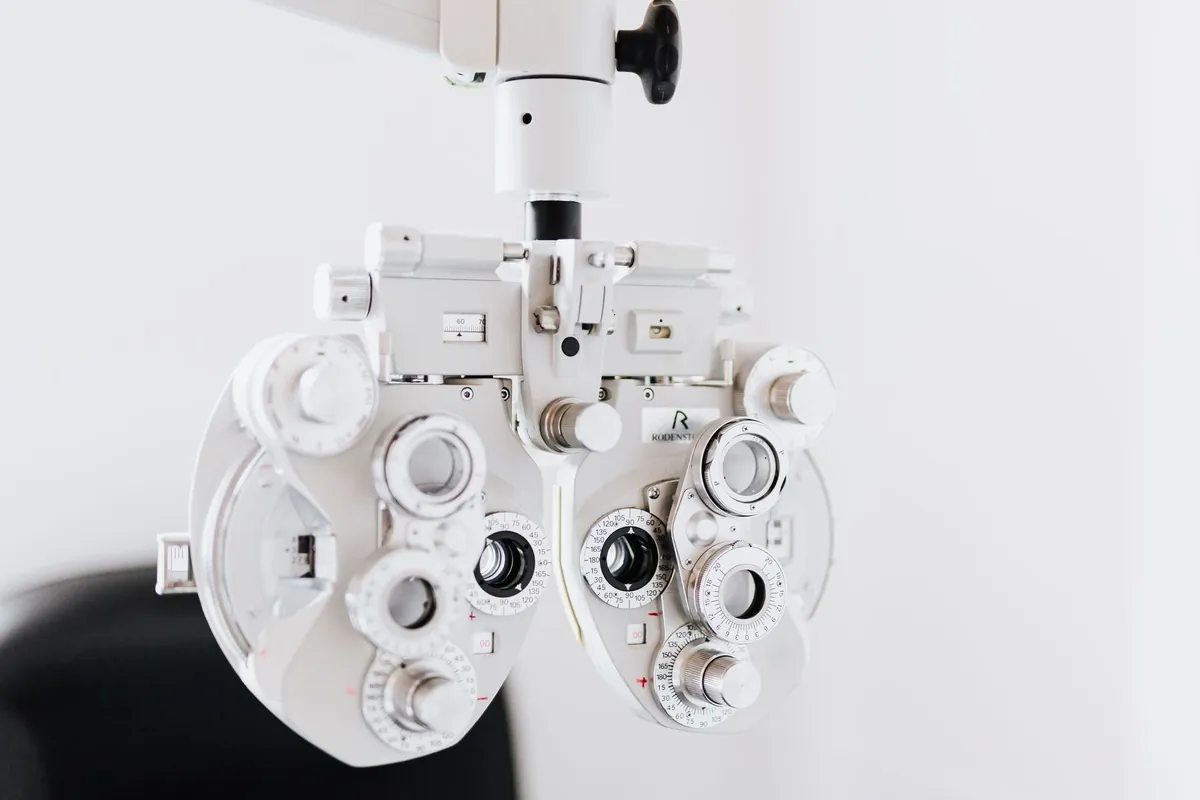
Informing well prevents incidents,
and makes laser surgery known
An eye clinic cuts incidents by informing on aftercare, and grows by making the higher-value services known to the patients it already has.
Post-test aftercare prevents incidents and calls. "Do not drive after dilation", the drop schedule, fasting before surgery: instructions that, if the patient is unclear on them, become incidents, scares and calls to the clinic. On screen, next to the test area, they are read and remembered, and patient safety improves.
Laser eye surgery sells to whom you already have in. Many patients coming for a routine check-up are short-sighted people who do not know they could ditch the glasses. Making laser eye surgery known — calmly, informatively, never pushy — in the waiting room captures the ideal candidate: the one who already trusts your clinic and just needed to know the option exists.
A visible queue offloads the desk and respects privacy. Calling the next patient by number and room, while their own phone shows how many are ahead, cuts the "how long left?" at reception without exposing patient data. The room is more orderly and staff serve instead of acting as a clock.
To be straight with you: we do not integrate automatically with your EHR, HIS or RIS, and we do not read the patient record. The screen shows what staff upload and the schedule they enter, with no clinical data, on servers within the EU/UK. For anything clinical you carry on with your ophthalmology management system.
A child with poor vision in one eye
will not mention it, because they have nothing to compare it with
Adults notice a change. A child who has always seen this way has no baseline, so nothing seems wrong to them — and with one good eye compensating, nothing looks wrong to anyone else either. That is the whole reason screening exists at an age when the patient cannot describe the problem, and it is also why the appointment gets postponed: there is no symptom pushing anyone to make it.
What tends to bring families in, and what does not:
- An age, not a symptom. "Before starting school" is something a parent can act on. "If you notice anything" is not, because there is nothing to notice.
- A named window, not an open invitation. Anything without a deadline competes with everything else in a family's week and loses.
- And knowing what it involves. Parents postpone what they cannot picture. Twenty minutes, no discomfort, no needles — that removes the objection nobody says out loud.
There is a reason to be plain about the timing rather than gentle: some conditions respond far better when treated early, and the window is measured in years. This is one of the few areas of routine care where waiting genuinely changes the outcome, and that is worth saying clearly rather than leaving as an implication.
It also changes who the message is for: the person who needs to read it is not the patient. It is a parent, standing somewhere else entirely, thinking about something else. Anything written as if the reader were the one with the problem misses them.
Write the age range where parents actually stand — the waiting room they use for something else, the practice they already visit. The message has to reach an adult who has no reason to be thinking about it.
“Drops in, take a seat, we’ll call you”
to someone who can’t read the small print
An eye clinic has a queue no other waiting room has: the patients sent back out while their pupils dilate.
The second wait is the confusing one. A patient comes out of the pre-test room with drops in, told to sit for half an hour. They have lost their place in their own head, the patient who arrived after them goes in first for a field test, and nobody explains why.
A number keeps their place across both waits. They scan the QR code on the waiting-room TV and tap “Take a number”; the mobile then counts down the patients in front and gives an idea of the wait, based on the pace of the clinic so far. Once the drops are in, a large number and a chime matter more than a phone screen they can’t focus on: the TV shows “E-021 → Room 4” in big type and the number flashes. Separate prefixes for OCT, visual fields and consultant clinic keep each line honest (how it’s set up).
Older patients without a smartphone aren’t left out. Reception gives them a number from the dashboard, and they join the same line in the same order as the others.
To be straight with you: the queue has no idea about the patient, the test or the drops — staff decide who goes next and tap “Next”. The TV chimes only if its browser allows sound; the number flashes regardless.
Common questions
from eye clinics
Your clinic screens,
ready this afternoon.
First screen free forever. No card. No installers. Offline 48 h.
Start free →14-day trial on paid plans, no card · Cancel anytime
Take the button via email
We'll send a 1-click link to create your account whenever you want. No password, no card, no commitment. Your first screen FREE forever.
No spam. Just the link — you decide when to come in.