Deals, projects and tool hire,
on your store screens
Your window shows the seasonal deal — garden and paving in spring, draught-proofing and heating in winter — and the featured tool of the week. Inside, customers see the full materials list by project: bathroom refit, paint a room, fit a blind, assemble a flatpack. You show which machinery you hire, extras like key cutting and made-to-measure cuts, and trade customers see their discount. You update all of it from your phone.
Free first screen forever · No credit card · Offline 48 h
Materials by project · tool hire · key cutting · trade discount
What you show on screen
from day one
Ready-made templates for the corner ironmonger and the large DIY store with a street-facing window and a hire bay. Zero design work, zero learning curve.
Window: seasonal deals and featured tool
Your window shows the right deal for the season: garden furniture, paving slabs and weed killer in spring; draught-proofing tape, radiator panels and boiler filters in winter. A featured tool of the week pulls in customers who didn't know they needed it. You update the message from your phone in seconds — no more handwritten signs or outdated printed banners in the window.
Materials by project
The in-store screen shows a complete materials list for every common project: everything needed for a full bathroom refit, how to paint a room (primer, filler, brushes, rollers, masking tape), what you need to fit a Roman blind, or the fixings for assembling a flatpack unit. Customers stop asking staff and spend more — because the screen tells them what they're missing before they reach the checkout.
Tool hire, key cutting and made-to-measure
A dedicated screen in the hire bay shows which machinery is available today — cement mixer, SDS hammer drill, belt sander, pressure washer — with day and weekend rates. Extras like key cutting, made-to-measure timber cuts and blind or curtain alterations appear on the counter screen so customers know the service exists before they ask. No more missed upsells because a sign was buried on a shelf.
Trade vs DIY: trade card, discounts and loyalty
The trade counter screen shows trade card holders their discount tier, current special offers for account customers, and how to place large or special orders with collection times. The general floor screen runs a loyalty message, current multi-buy deals and customer reviews. You keep DIY customers browsing longer and give trade customers everything they need at a glance — without your staff repeating it fifty times a day.
The plan your
store needs
Small ironmonger with 1 screen: Starter €9/month. Store with window + in-store screen: Pro €19/month (3 screens, most popular). Large DIY store with window, hire bay, trade counter and checkout zone: Business €59/month. Multi-branch DIY chain: Network €199/month. All plans include a 14-day trial with no credit card.
No card · Cancel anytime · See all plans
Where the screen goes
in the hardware store
A hardware store does not sell screws, it sells solving the job. Each screen accompanies a different moment of that purchase.
Window
The seasonal offer and the hero tool: garden and watering in spring, heaters in winter, paint in the refit season. A window that changes with the need of the moment captures the passer-by with a specific problem in mind.
Project area
The full material list per job: a bathroom refit, painting a room, fitting a blind, assembling flat-pack. The customer sees everything they need at once and takes it together, instead of coming back three times for what they forgot.
Tool hire area
The machinery for hire — cement mixer, hammer drill, belt sander — with a daily price. Many customers do not know you hire; the screen puts it in view and opens a recurring income the big-box store does not contest.
Trade counter and till
The trade customer's discount card, the special orders and loyalty. The professional buying daily is who carries the store; seeing their discount and terms keeps them loyal against the chain.
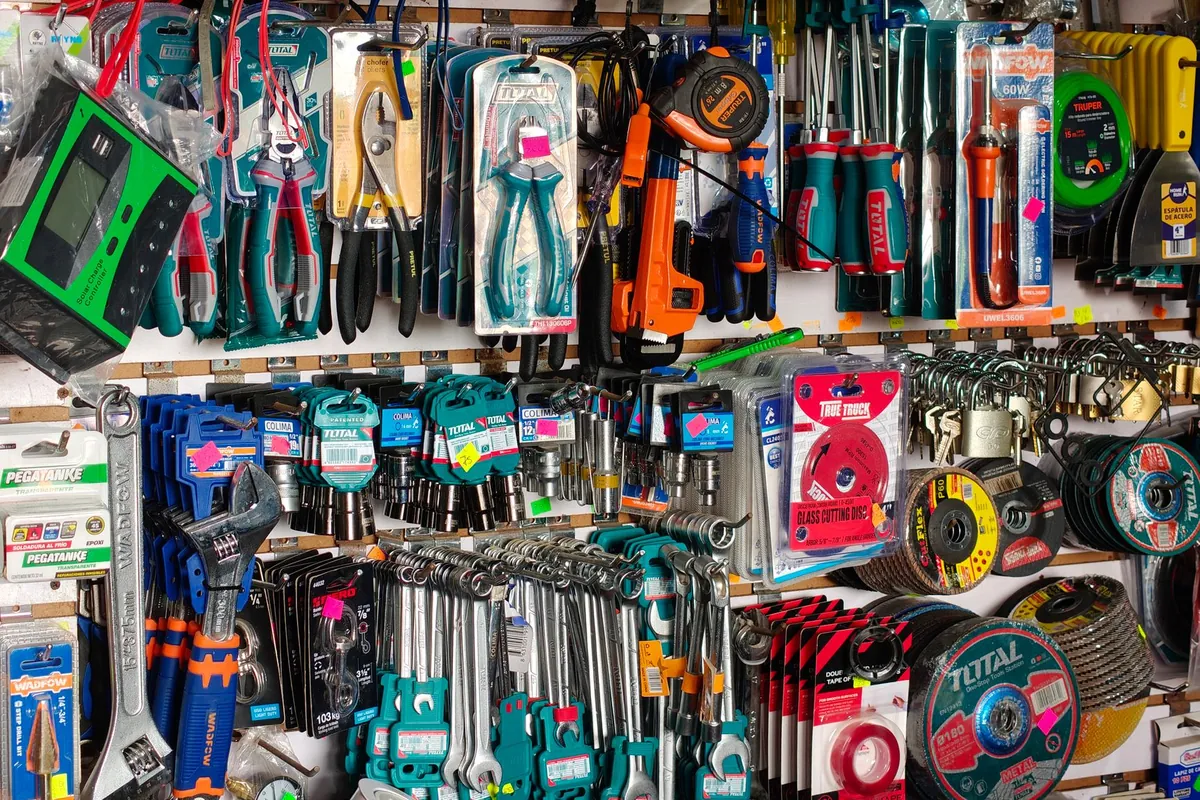
Sell the whole job,
not the single screw
A hardware store raises the basket by solving jobs, captures with the seasons and holds up on the trade customer and the tool hire.
The customer does not want a product, they want to put up the shelf. Showing the full material list per job — what it takes to paint a room or assemble a unit — raises the basket, because the customer takes it all at once instead of coming back three times for the roller, the tape and the wall plugs they forgot. You sell the solution, not the item.
The seasons capture the need of the moment. Spring means garden and watering, winter means heaters, refit season means paint and tools. A window that changes with the season captures the passer-by with that specific problem in their head, right when they have it. You change it from your phone for the time of year, without building and dismantling the physical window every month.
The trade customer and the hire are the steady income. The professional buying daily is who carries the store; seeing their discount and terms at the counter keeps them loyal against the big box. And tool hire — which many customers do not know you offer — is a recurring income the screen puts in view and that the chain next door does not contest.
To be straight with you: we do not integrate with your POS or catalogue. The screen shows the offers, the project lists and the hire you upload, and you change the prices from your phone; the sale and stock stay in your system. Digisini is the screen layer that sells the whole job.
Taking two and returning one
is not indecision, it is arithmetic
Somebody standing in front of a rack of washers cannot measure the tap at home from here. Buying the two likely sizes costs them a euro ; guessing wrong costs them the whole journey again, on a Saturday, with the water off. Given those numbers, taking both is the sensible choice and everyone in the trade knows it.
Most shops treat it as a nuisance, and it shows
A returns process that involves a sigh, a form or a queue at the wrong counter teaches that customer to stop doing it. What they do instead is buy the one they guess — and when it is wrong, they buy the right one wherever they happen to be that afternoon, which is usually not here. The shop has protected itself from four small refunds a week and given away the second half of every uncertain purchase.
Saying it out loud is what converts the hesitation
«Not sure which? Take both and bring back the one you do not use» is a single line, and it removes the only thing standing between that person and the till. It works because it names something the customer was already considering but felt slightly awkward about asking — and permission, given before it is requested, is the cheapest sales technique there is. It also quietly says that you expect them to come back, which is a different message from a discount.
Two conditions, stated before they leave
Keep the receipt, and do not open the packet you are not going to use. Put those two lines on the screen next to the offer, and the return becomes a thirty-second transaction instead of a discussion at the counter about what was agreed. Everything unpleasant about returns comes from rules that were never stated : nobody minds a rule they knew about, and everybody minds the same rule discovered on the way in with a bag.
And it tells you something you would not otherwise learn
Which sizes come back most often is a free measurement of where your customers guess wrong. If half the returns are the same two items, that is not a returns problem — it is a labelling problem on the shelf, or a display that should show the two side by side with the difference marked. Nobody counts returns for that reason, and they are the only honest record of what confuses people about your own stock.
Timber cut to size, keys cut, paint mixed
and everyone waiting at the saw
The services that bring people into a proper hardware shop are also the ones that make them stand still.
Saturday morning at the cutting bench. A DIYer has six lengths of sheet ply for shelves, a joiner wants a single batten trimmed, and someone is hovering with a front door key and a shed key. Everyone waits by the saw because nobody knows how long the ply will take, and while they wait they buy nothing.
A QR code on the bench lets them carry on shopping. They scan, tap “Take a number”, and their mobile shows the jobs in front and an estimate from how quickly the bench has really been working through them. That is time spent finding screws, sandpaper and brackets for the shelves. When the cut is done, staff tap “Next”; the screen over the counter shows “W-012 → Cutting” with a chime, next to this week’s tool-hire offer. Key cutting and paint mixing can each have their own letter so a two-minute key isn’t behind a full sheet of MDF. A trade customer who would rather not use the phone gets a number from the counter. How the QR queue works.
The basket grows while the saw runs, which is the whole point of having the bench at the back.
To be straight with you: the queue doesn’t know the cutting list or how long a job takes, and it doesn’t connect to your till. A customer who locks their phone won’t feel the buzz; the screen call is still there.
Common questions
from hardware stores
Your first screen,
live this afternoon.
Free first screen forever. No credit card. No installers. Offline 48 h.
Start free →14-day trial on paid plans · Cancel anytime
Take the button via email
We'll send a 1-click link to create your account whenever you want. No password, no card, no commitment. Your first screen FREE forever.
No spam. Just the link — you decide when to come in.