The event menu, the allergens and the agenda,
on your catering screens
A caterer runs several events at once with bespoke menus — wedding with cocktail and 4 courses, christening, corporate event with coffee break, Saturday brunch — each with different allergens, vegan/gluten-free/halal/kosher options, guest count and specific suppliers. Printed menus change at the last minute for one extra allergy. With Digisini you show the day menu, allergens per dish and event agenda from your phone in seconds — kitchen, counter, event hall and office in sync.
Free first screen forever · No card · Offline 48h
Cocktail + 4 courses · 12 vegan · 8 gluten-free · 1 halal · Allergens visible
What you put on screen
from day one
Templates ready for catering companies, banquet operators and event caterers.
Event menus by type
Cocktail, banquet (4–5 courses), coffee break, brunch, buffet, kids menu, corporate picnic and finger food — each with live pricing per item. When a dish sells out or a supplier swaps an ingredient mid-event, update from your phone and every screen reflects it in seconds. No reprint, no crossed-out card.
Allergens and special options
All 14 UK FSA allergens visible per dish: cereals containing gluten, crustaceans, eggs, fish, peanuts, soybeans, milk, tree nuts, celery, mustard, sesame, sulphites, lupin and molluscs. Record the exact count per dietary option per event — vegan, vegetarian, gluten-free, halal, kosher, dairy-free. Compliant with FSA Natasha's Law. HACCP-ready for external catering service.
Agenda and operations
Today's and this week's events, service time, assigned hall, guest count, and team (servers, chef, bar staff) — all on screen with a live countdown. Kitchen, counter, event hall and office stay in sync without radio calls or printed sheets. Last-minute changes propagate in seconds.
Services and extras
Open bar, DJ, decor, furniture, transport, linen, tableware, sommelier and per-person packages (entry / mid / premium). Wedding cake, venue rental and specific supplier notes. Show guests exactly what is included in their event and upsell upgrades without extra staff time.
The plan your catering business
actually needs
Suited to a small caterer or event food truck: Starter €9/month (1 screen). Catering company with own kitchen: Pro €19/month (3 screens, most popular). Catering network with multiple halls: Business €59/month (10 screens). Large catering group: Network €199/month (50 screens, separate account per location). All plans include a 14-day trial without card.
No card · Cancel anytime · See all plans
Where the screen goes
in the catering business
A caterer wins the event on the operation, on the allergens and on the impression it leaves. Each screen covers one of those three fronts.
Kitchen and prep
The day's schedule with the exact number of covers, the service time, the assigned room and the team. And above all the 14 allergens per dish. On the big day, having this on screen heads off the chaos and the costly error.
Event hall
The event menu and the personalised welcome — "Anna and Luke's Wedding", "Acme Conference 2026". That detail gives a premium touch that is remembered and talked about, and communicates the menu and timings without handing out cards.
Office
The week's schedule, the upcoming events, the team assigned to each and the operation. The team sees at a glance what is booked and what is missing, without crossing a thousand emails or WhatsApp groups.
Showroom and enquiries
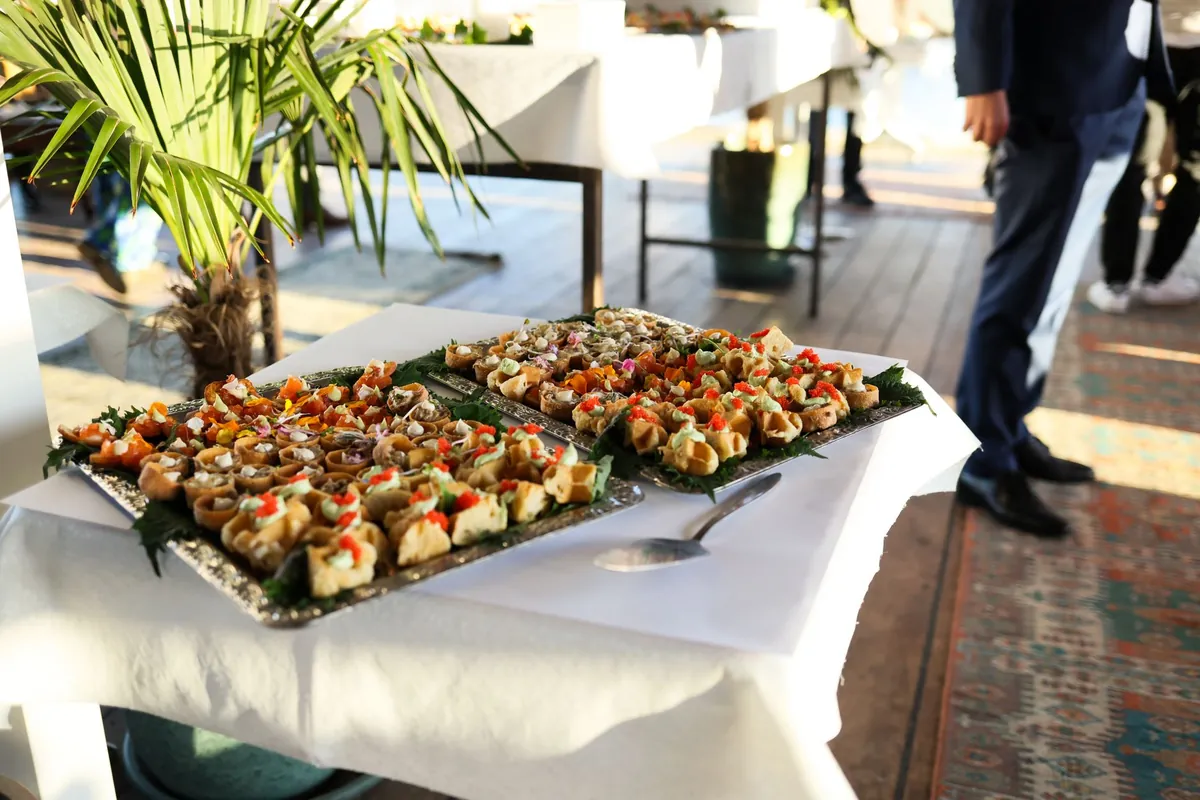
The sample menus (canapés, banquet, coffee break, finger food), the services (open bar, DJ, furniture, sommelier) and the events portfolio. It is what the client coming in for a quote sees, and what helps close it.
The event is won
on the operation and the allergens
A caterer does not fail on the food, it fails on the timing, a badly communicated allergen or a poor impression. The screen works all three.
The big day is coordinated in the kitchen. Two hundred covers, a service time nailed to the minute, two rooms at once. A screen in the prep area with the schedule, the exact number of covers and the timing heads off the chaos of the big operation, where a fifteen-minute delay shows up in the review and the recommendation.
Allergens at an event are critical. The 14-allergen rule is not a recommendation, and at a two-hundred-cover banquet a badly communicated allergen is a serious problem. Having the 14 allergens per dish clear on screen — for the team and, where relevant, for the guest — is compliance and it is peace of mind.
The impression carries the next event. A room with "Welcome to Anna and Luke's Wedding" and the menu on screen gives a premium touch the client talks about with their guests, who are your next clients. And in the showroom, the sample menus and portfolio on screen help close the quote that walks through the door.
To be straight with you: we do not manage quotes or the events CRM. The screen is operations — schedule, covers, allergens — and showroom — menus, portfolio — not an event management system. You carry on with your system; Digisini is the screen layer that coordinates and wins work.
A hundred and fifty guests enjoyed the food
and not one of them knows who made it
They ask the host, who says «the caterers», possibly adds a first name, and the conversation moves on. Three months later one of those guests is planning something of their own and searches for a supplier in the town — with no memory of yours, having eaten your food for four hours.
The people worth reaching are already in the room
At any wedding of that size there are several guests with something coming : a company do, a fiftieth, a christening. They are not looking for a caterer that evening, which is exactly why they are worth reaching — the ones actively searching are comparing four quotes on price, and the ones who ate your food are not comparing anything. The whole difference between those two situations is whether they can find out your name without asking the host a second time.
What works is small and where people already look
A discreet line on the menu card, or a small card at the end of the buffet. Not a logo on the linen, not a banner, not a van parked where the photographs happen. The test is whether a guest could photograph it without feeling they were doing your advertising for you — and, curiously, the more discreet versions get photographed more, because a small card next to a dish reads as information about the dish rather than as a sign.
The host owns the room, so it is agreed beforehand
This is not a decision to take on the night. Some hosts will not want anything with a supplier's name on it, some venues have their own rules, and going ahead anyway damages both relationships at once. One line in the contract — what will carry your name, and where — turns an awkward improvisation into an agreed detail, and most hosts say yes without thinking about it, because at that stage they are pleased with you.
And the version that costs nothing at all
If the answer is no, there is still the host. A short message the week after, thanking them and saying plainly that you would be glad to be recommended, does more than any card, because it reaches the one person the guests will actually ask. Almost nobody sends it : the event ends, the invoice is settled, and the relationship closes precisely at the moment it was worth the most.
Common questions from
catering and event professionals
Your first screen,
live this afternoon.
Free first screen forever. No credit card. No installer. Offline 48h.
Start free →14-day trial on paid plans, no card · Cancel anytime
Take the button via email
We'll send a 1-click link to create your account whenever you want. No password, no card, no commitment. Your first screen FREE forever.
No spam. Just the link — you decide when to come in.